


thecockpituk
THINKWARE DASH CAM Q1000 2K QHD FRONT AND REAR CAMERA G SENSOR WIFI GPS 32GB
THINKWARE DASH CAM Q1000 2K QHD FRONT AND REAR CAMERA G SENSOR WIFI GPS 32GB
Couldn't load pickup availability
FRONT & REAR 2K QHD /SUPER NIGHT VISION 3.0(LOW-LIGHT RECORDING TECHNOLOGY AND HDR) | THINKWARE CONNECTED
Time Lapse | Safery Camera Alert | Advanced Driver Assistance System(LDWS, FCWS, uFCWS, FVDW)
HARDWIRE VERSION
- 2K QHD Front & Rear Camera
- 156° Wide Angle View
- G-Sensor Incident Detection
- Speed Camera Alert
- Built-in Wi-Fi
- Super Night Vision 3.0
VIVID IMAGE CAPTURING AT 1440P QHD RESOLUTION
Capturing 4times more clarity than HD resolution, the Q1000 illustrates 1440p QHD front and rear recording during both day and night.
SUPER NIGHT VISION 3.0 WITH REAL DOL HDR
Record night drives with true colors and minimal noise thanks to Thinkware’s latest advancements in low-light recording technology
that surpasses its predecessors’ night time performance. HDR (High Dynamic Range) multi-exposure captures maximum
image detail in high contrast scenes and corrects exposure levels when a subject is too dark or too bright.
REAL-TIME PARKING IMPACT VIDEO
In Parking Mode, you can immediately detect an impact with the dash cam.
Receive impact notification and play video of the impact on your smartphone.
REMOTE LIVE VIEW
Remotely view your vehicle in both Continuous Recording Mode and Parking Mode.
Click on Live View button on your smartphone app to view a real-time video of your vehicle.
SEND EMERGENCY MESSAGE
In case of emergency situations, register the contact details of your family, friend or associate.
A SOS message will be transmitted to your emergency contact in the event of a strong impact crash
or when the driver presses the SOS button on the dash cam to urgently request for help.
THE REVOLUTIONARY NEXT GENERATION PARKING MODE ENERGY SAVING
The Energy Saving 2.0 is a revolutionary development of parking mode.
With greatly reduced amount of electricity consumption, the dash cam will be at a standby up to 12.6 days / 304 hours
Once an impact is detected, the dash cam will wake up within a second and record for next 20 seconds of period.
SMART PARKING MODE
when high temperature occurs, it switches to low power mode, and when it enters a stable temperature,
it actively changes to the existing recording mode
SAFETY CAMERA ALERT
The THINKWARE DASH CAM Q1000’s internal GPS provides accurate location information
while the Safety Camera Alert function is on continuous alert to warn the driver of red lights and traffic enforcement cameras.
Cultivate safe driving habits with THINKWARE DASH CAM.
SPECIFICATION
- Camera sensor 5.14 Megapixel, Type 1/2.8
- Video Default : QHD (2560 x 1440 @ 30fps)/H.265 /MP4 | Option : FHD (1920 x 1080 @ 60fps) / H.265 /MP4
- Angle of view (Lens) Approximately 156° (diagonally)
- Memory microSD memory card (32GB, 64GB, 128GB, 256GB)
- Recording Modes Continuous Rec, Incident Rec, Manual Recording, Manual Rec, Parking Rec (parking mode)
- GPS Embedded GPS
- Wi-Fi 2.4G, 5G, 802.11 a/b/g/n/ac
- Power DC 12 / 24 V supported
- LED indicator Security LED, REC LED, GPS LED, Connection LED
WHATS INCLUDED
- Dash Cam
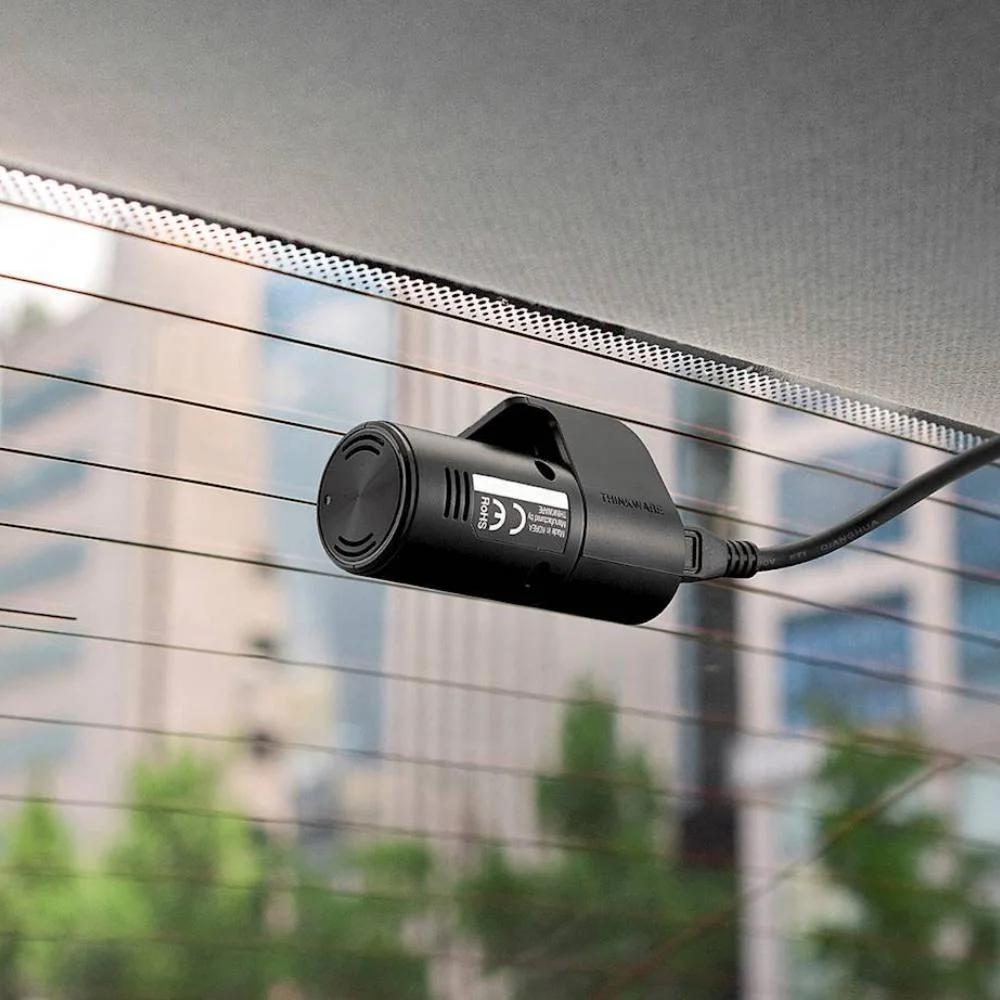
- Rear Camera
- 12V Hardwire Cable
- Rear Camera Cable
- 32GB MicroSD Card
- USB MicroSD Card Reader
- Spare 3M Mounting Tape
- Quick Start Guide
(Plug & Play 12 Power Cable Sold Separately. Search TWCigar)


Installation Service
How the Installation Service Works?
Our installation service is designed to be simple, transparent, and efficient. Please follow the steps below to understand the full process:
Step 1: Place Your Order
-
Place your order on our website after confirming product compatibility with your vehicle.
-
On the Product page > Installation service > Select an Approved Installer located near you.
Step 2: Order Confirmation & Dispatch
-
Once your order is confirmed, we will dispatch the item directly to your address.
-
You will receive a dispatch confirmation email along with a tracking number so you can monitor delivery.
Step 3: Installer Details Provided
-
After the item has been dispatched, we will send you the contact details of the selected Approved Installer. Through Email, Check inbox or spam folder.
Step 4: Book Your Installation Appointment
-
Once you receive the Item and installer’s contact details, You must contact the installer directly.
-
When contacting the installer, please provide:
-
Your order number
-
The make and model of your vehicle
-
-
The installer will then arrange a mutually convenient appointment date and time.
Step 5: Attend the Installation
-
All installations are carried out at the installer’s location.
-
Please bring:
-
Your vehicle
-
The delivered product
-
Order confirmation (recommended)
-
-
The Approved Installer will complete the installation according to approved standards.
Step 6: Installation Completion
-
The installer will check the installation is secure and correctly fitted.
-
Your installation is completed by a trained professional for peace of mind.
Important Information
- Installation is not carried out at your home address.
- You can ask the Installer directly, If the are willing to offer service at your address for Extra mobile cost.
- Booking the appointment is the customer’s responsibility once installer details are provided.
- Delivery and installation are separate stages of the process.
Frequently Asked Questions (FAQs)
Q: How do I know if the product is compatible with my vehicle?
A: Compatibility must be confirmed before placing your order. If you are unsure, please contact us prior to purchase.
Q: Do you send the product to the installer?
A: No. The product is dispatched directly to your address, and you must take it with you to the installer. If the Installer already has item in stock that you have ordered. We will inform you to contact the installer to book an appointment.
Q: When do I receive the installer’s contact details?
A: Installer contact details are provided after your item has been dispatched.
Q: Who books the installation appointment?
A: The customer is responsible for contacting the installer and booking the appointment.
Q: Where does the installation take place?
A: All installations are carried out at the Approved Installer’s location. We use Third-Party approved installer. Which are hired on Per Job basis.
Q: What details do I need when contacting the installer?
A: You should provide:
-
Your order number
-
The make and model of your vehicle
Q: Can I change the installer after ordering?
A: Installer changes are subject to availability and must be requested before installation is booked.
Q: Approved Installers Location?
- GLASGOW - G40 Postcode
- MIDDLESBROUGH - Disclosed by Installer
- BRADFORD - BD8 & BD4 Postcode
- DEWSBURY - WF12 Postcode
- MANCHESTER - M32 Postcode
- NOTTINGHAM - NG5 1FS Postcode
- BRISTOL - BS7 Postcode
- SWANSEA - SA1 Postcode
- WEST LONDON - W7 Postcode
- EAST LONDON - E7 Postcode
- SOUTH LONDON - CR4 Postcode (Weekends Only)
- SURREY - KT20 Postcode
- SOUTHAMPTON - SO30 Postcode