


thecockpituk
PIONEER VREC-DH200 ULTRA COMPACT FRONT DASH CAM CAMERA 1080 FULL HD WIFI GPS
PIONEER VREC-DH200 ULTRA COMPACT FRONT DASH CAM CAMERA 1080 FULL HD WIFI GPS
Couldn't load pickup availability
VREC-DH200
1-CHANNEL (FRONT) DASH CAMERA, ULTRA COMPACT DESIGN, FULL HD, 27.5 FPS.
130° Wide Viewing Angle. Also features GPS, Wi-Fi, Parking Mode, and includes a 16 GB microSD Card.
YOUR THIRD EYE ON THE ROAD.
Install a Pioneer Dash Camera for peace of mind by protecting you from fraudulent insurance claims by being able to use the recorded footage in the event of an incident, giving you the ability to identify who is at fault quickly and easily. In some countries installing a Dash Camera can even reduce your insurance* premium.
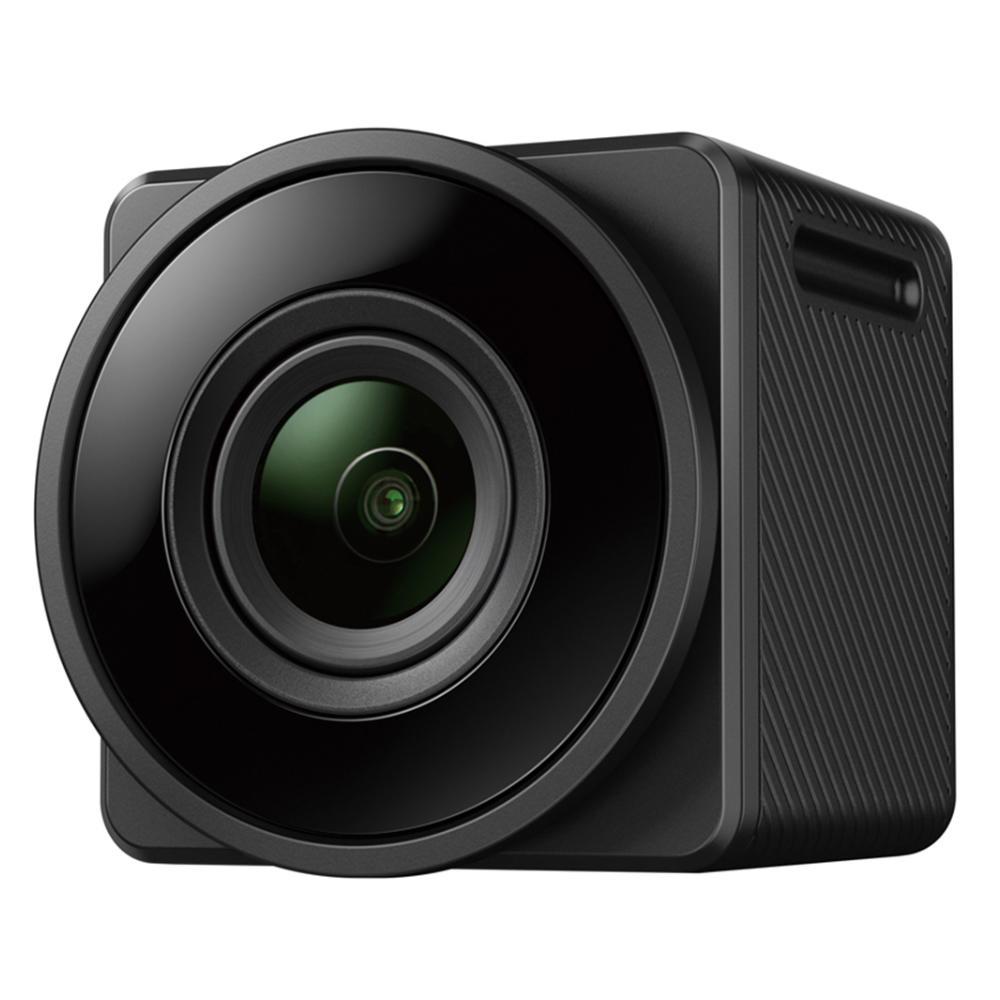
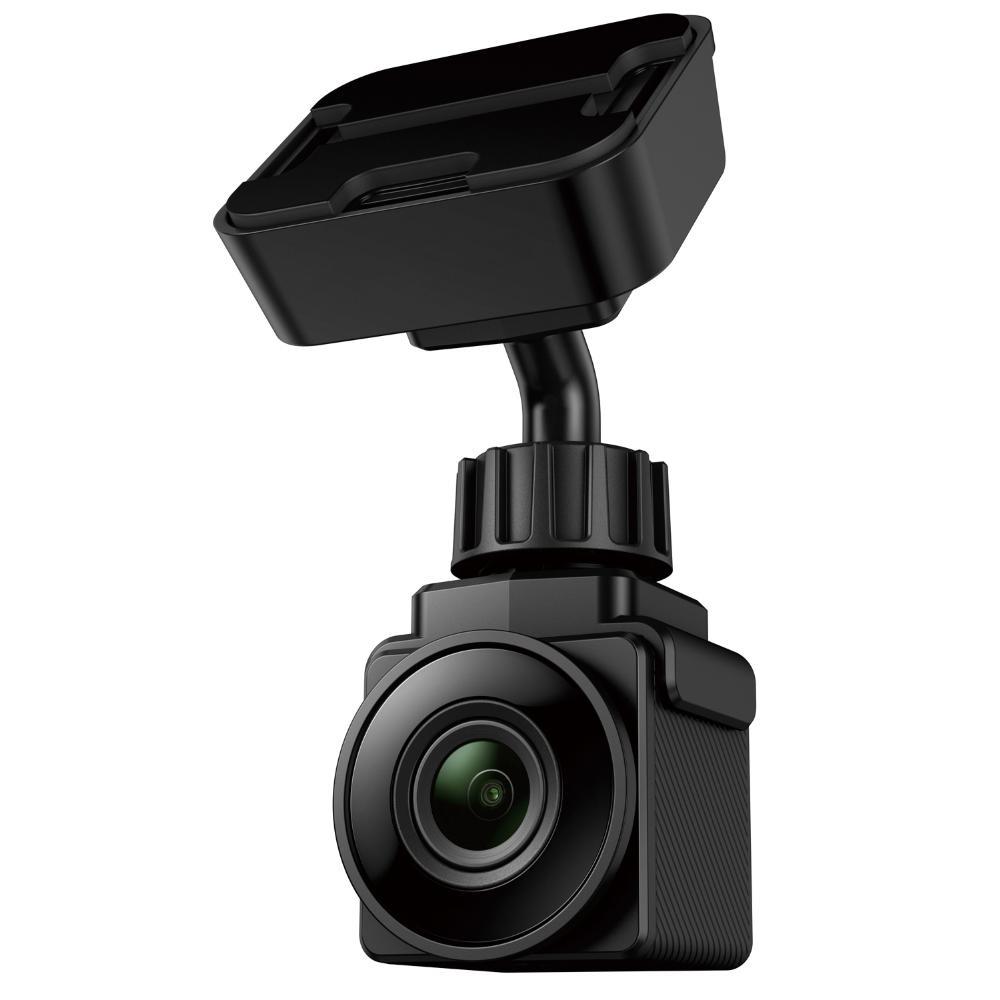
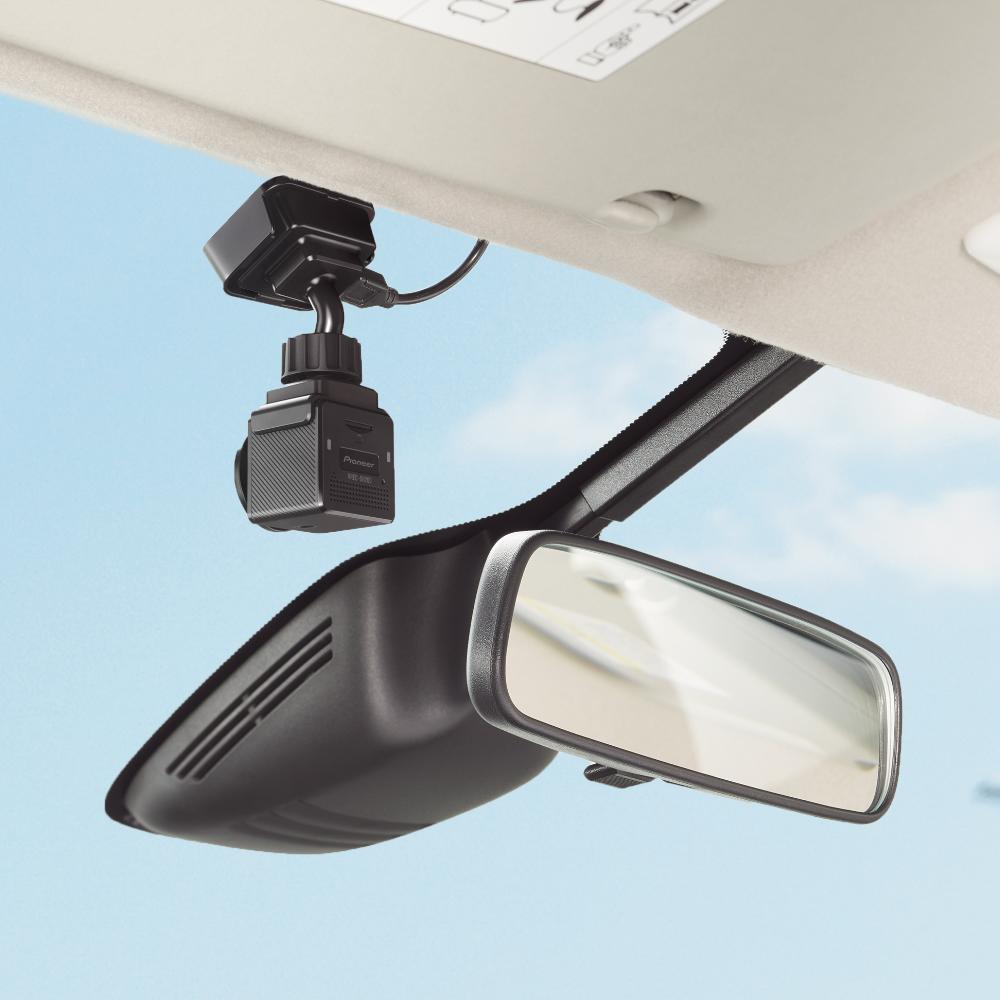
Pioneer's VREC-DH200 is an Ultra Compact 1-Channel Full HD Dash Camera consisting of a front camera that mounts to the inside of the front windscreen, a Wide Viewing Angle of 130° allowing you to capture data that other cameras cannot. It also features Pioneer's unique Gesture Event Recording meaning you can record important events, by gesture control, without taking your eyes off the road.
Worry no more about coming back to a parked vehicle with damage, not knowing what happened. Pioneer's VREC-DH200 includes Pioneer's Parking Mode feature, a feature which keeps watch whilst you’re away. Parking Mode allows event recording even when parked up to give you protection when your vehicle is out of sight.
The VREC-DH200 also includes GPS and Built-in Wi-Fi, designed so you can connect your smartphone via the exclusive Pioneer "Dash Camera Remote" app. Check recorded videos or set up the Dash Camera on the screen of a compatible iPhone or Android™ smartphone.
The VREC-DH200 includes a 16 GB microSD Card.
*Country Specific. Please check with your local insurance company.
1-Channel Dash Cam
Front Dash Camera, recording the front.
Full HD
Full HDIn addition to installing a CMOS sensor that realises high sensitivity, this product records in Full HD (1920 x 1080p) with about 2 million pixels of high resolution so you can record clear high-quality characters such as a license plate, in the day or night.
130° Wide Viewing Angle
130° Wide Viewing AngleRecord larger amounts of information with less blind spots, such as a motorcycle passing from the left or right or a pedestrian or bicycle jumping out.
Parking Mode
Parking ModePeace of mind that your vehicle is watched whilst you are away. When the vehicle is parked, after detecting movement caused by vibration it will automatically record an event for a fixed period of time utilising the internal built-in battery.
GPS
GPSAccurately record important information such as your current position, vehicle speed, direction of travel and time.
Wi-Fi
Wi-FiBuilt-in Wi-Fi to connect your smartphone via an exclusive Pioneer Dash Camera app*'. Check recorded videos or set up the Dash Camera on the screen of a compatible iPhone or Android™ smartphone. * Compatible smartphone required. App availability is depending on your country.
Gesture Event Recording
Gesture Event RecordingRecord key events by 'Gesture Event Recording', without taking your eyes off the road.
Ultra Compact Design
Ultra Compact DesignThis ultra compact Dash Camera measures around 3 cm squared, so it is inconspicuous when installed.
Included MicroSD Card
Included MicroSD CardPioneer includes a 16 GB microSD Card in this product.
SPECIFICATION
- 1-Channel Dash Cam
- Full HD
- 130° Wide Viewing Angle
- Parking Mode
- GPS
- Wi-Fi
- Gesture Event Recording
- Ultra Compact Design
- Included MicroSD Card
- Image Quality Full HD (1920 x 1080p)
- Viewing Angle Horizontal 114°, Vertical 62°, Diagonal 130°
- Sensor CMOS
- F-Value F1.8
- Frame Rate (fps) 27.5 fps
- Camera Type Front
- Polarised Filter Optional Polarised filter [Model Number TBC] sold separately
- Smartphone App Dash Camera Remote
- G Sensor
- Sound Recording On / Off
- Recording Modes Continuous / Event / Manual / Parking
- Continuous Recording Time 1 minute / 3 minutes / 5 minutes
- Event Recording Times First 2 seconds, last 10 seconds
- Manual Recording Times First 2 seconds, last 10 seconds
- Parking Mode Recording Times 30 seconds
- Parking Surveillance Recording: Built-in Battery Up to 30 days
- Video Recording Format AVI (H.264, G711)
- Still Image Capture
- Still Image Format JPEG
- Date and Time Setting
- Loop Video Recording
- Automatically Start Recording
- MicroSD Card Included 16 GB
- MicroSD Card Capacity 16 GB to 128 GB
- MicroSD Card Compatibility MicroSDXC / microSDHC memory card class 10
- MicroSD Card Format Warning
- MicroSD Card Format Free
- Built-in Battery
- Battery Full Charge Time Approximately 1.5 hours
- Built-in Battery Capacity 140mAh
- Power Consumption Approximately 1.3 W (Approximately 1.65 W when charging)
- Power Supply Voltage 12 V / 24 V DC
- Power Connection Type Cigar charger power cable
- Power Cable Length 4 m
- Allowable Installation Angle 15° to 70°
- Operating Temperature -10° to +60°
- Dimensions (W x H x D) 32 mm x 32 mm x 34 mm
- Weight 70g (Excluding installation brackets, etc.)
- Accessories (Sold Separately) Polarised filter [Model Number TBC]
WHAT'S INCLUDED
- Front Camera/ Mounting Bracket
- Dual USB Charger
- Power Cable
- MicroSD card
- Quick Start Guide
- Warranty Document
- Cleaning Wipe
- Double Sided Tape
Installation Service
How the Installation Service Works?
Our installation service is designed to be simple, transparent, and efficient. Please follow the steps below to understand the full process:
Step 1: Place Your Order
-
Place your order on our website after confirming product compatibility with your vehicle.
-
On the Product page > Installation service > Select an Approved Installer located near you.
Step 2: Order Confirmation & Dispatch
-
Once your order is confirmed, we will dispatch the item directly to your address.
-
You will receive a dispatch confirmation email along with a tracking number so you can monitor delivery.
Step 3: Installer Details Provided
-
After the item has been dispatched, we will send you the contact details of the selected Approved Installer. Through Email, Check inbox or spam folder.
Step 4: Book Your Installation Appointment
-
Once you receive the Item and installer’s contact details, You must contact the installer directly.
-
When contacting the installer, please provide:
-
Your order number
-
The make and model of your vehicle
-
-
The installer will then arrange a mutually convenient appointment date and time.
Step 5: Attend the Installation
-
All installations are carried out at the installer’s location.
-
Please bring:
-
Your vehicle
-
The delivered product
-
Order confirmation (recommended)
-
-
The Approved Installer will complete the installation according to approved standards.
Step 6: Installation Completion
-
The installer will check the installation is secure and correctly fitted.
-
Your installation is completed by a trained professional for peace of mind.
Important Information
- Installation is not carried out at your home address.
- You can ask the Installer directly, If the are willing to offer service at your address for Extra mobile cost.
- Booking the appointment is the customer’s responsibility once installer details are provided.
- Delivery and installation are separate stages of the process.
Frequently Asked Questions (FAQs)
Q: How do I know if the product is compatible with my vehicle?
A: Compatibility must be confirmed before placing your order. If you are unsure, please contact us prior to purchase.
Q: Do you send the product to the installer?
A: No. The product is dispatched directly to your address, and you must take it with you to the installer. If the Installer already has item in stock that you have ordered. We will inform you to contact the installer to book an appointment.
Q: When do I receive the installer’s contact details?
A: Installer contact details are provided after your item has been dispatched.
Q: Who books the installation appointment?
A: The customer is responsible for contacting the installer and booking the appointment.
Q: Where does the installation take place?
A: All installations are carried out at the Approved Installer’s location. We use Third-Party approved installer. Which are hired on Per Job basis.
Q: What details do I need when contacting the installer?
A: You should provide:
-
Your order number
-
The make and model of your vehicle
Q: Can I change the installer after ordering?
A: Installer changes are subject to availability and must be requested before installation is booked.
Q: Approved Installers Location?
- GLASGOW - G40 Postcode
- MIDDLESBROUGH - Disclosed by Installer
- BRADFORD - BD8 & BD4 Postcode
- DEWSBURY - WF12 Postcode
- MANCHESTER - M32 Postcode
- NOTTINGHAM - NG5 1FS Postcode
- BRISTOL - BS7 Postcode
- SWANSEA - SA1 Postcode
- WEST LONDON - W7 Postcode
- EAST LONDON - E7 Postcode
- SOUTH LONDON - CR4 Postcode (Weekends Only)
- SURREY - KT20 Postcode
- SOUTHAMPTON - SO30 Postcode