


thecockpituk
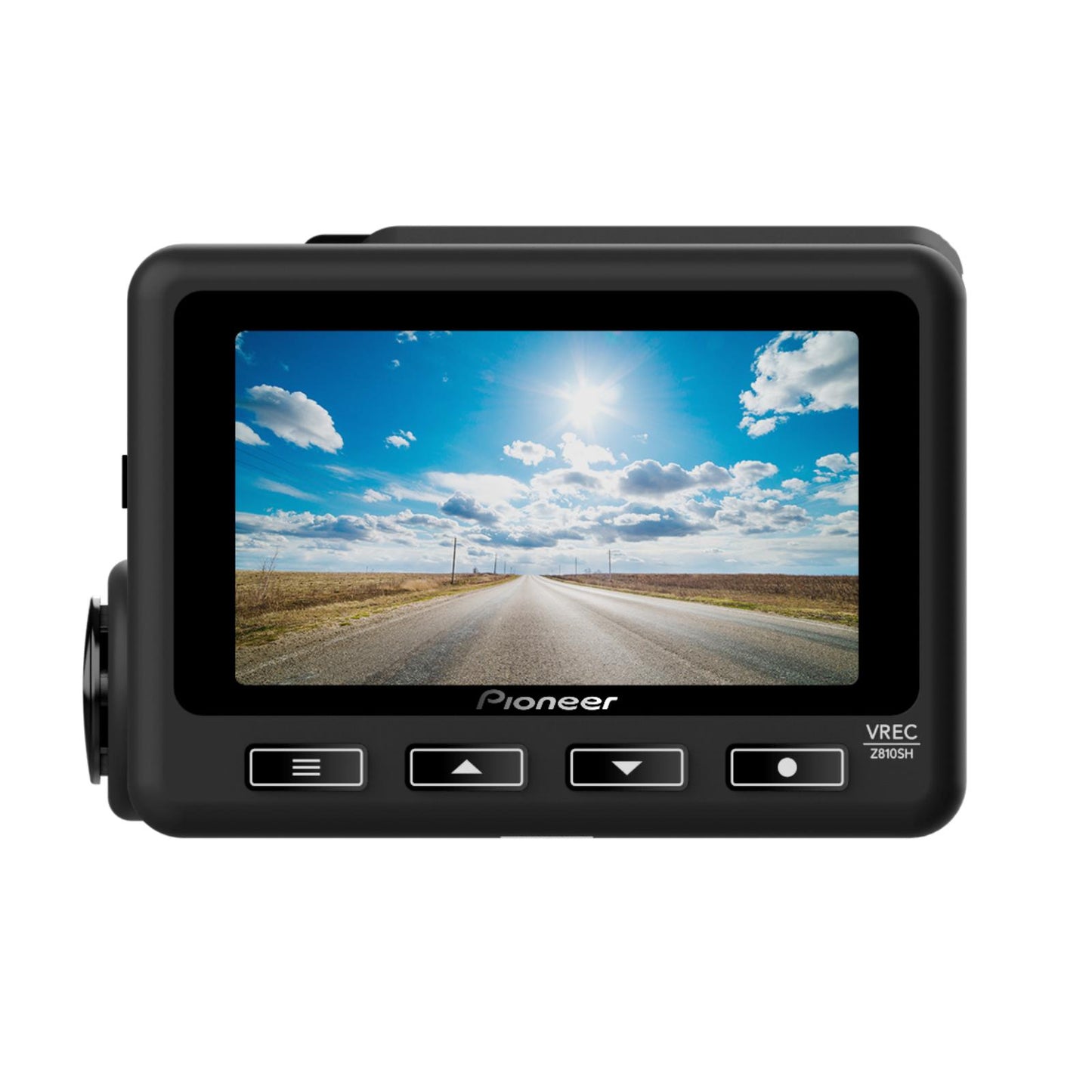
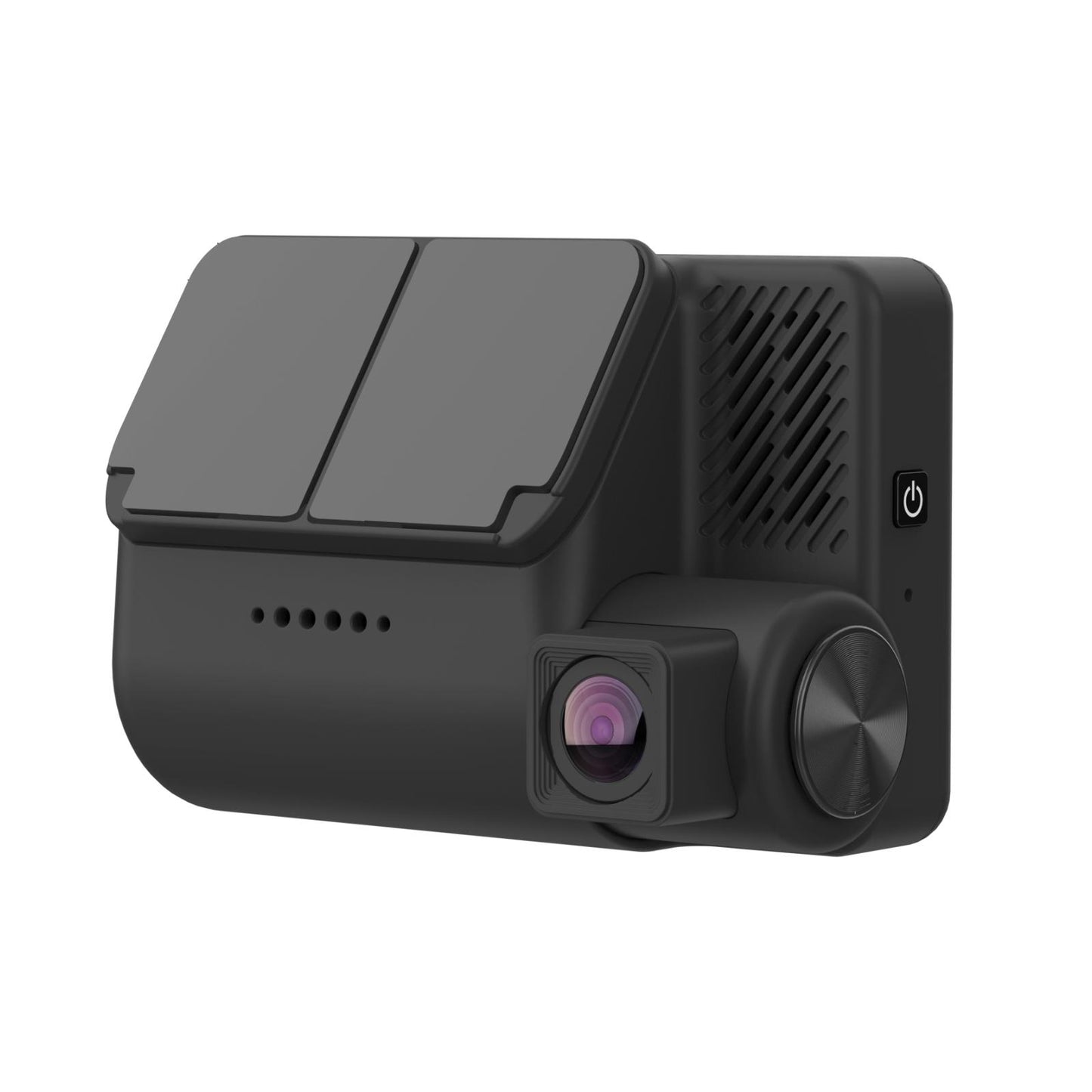
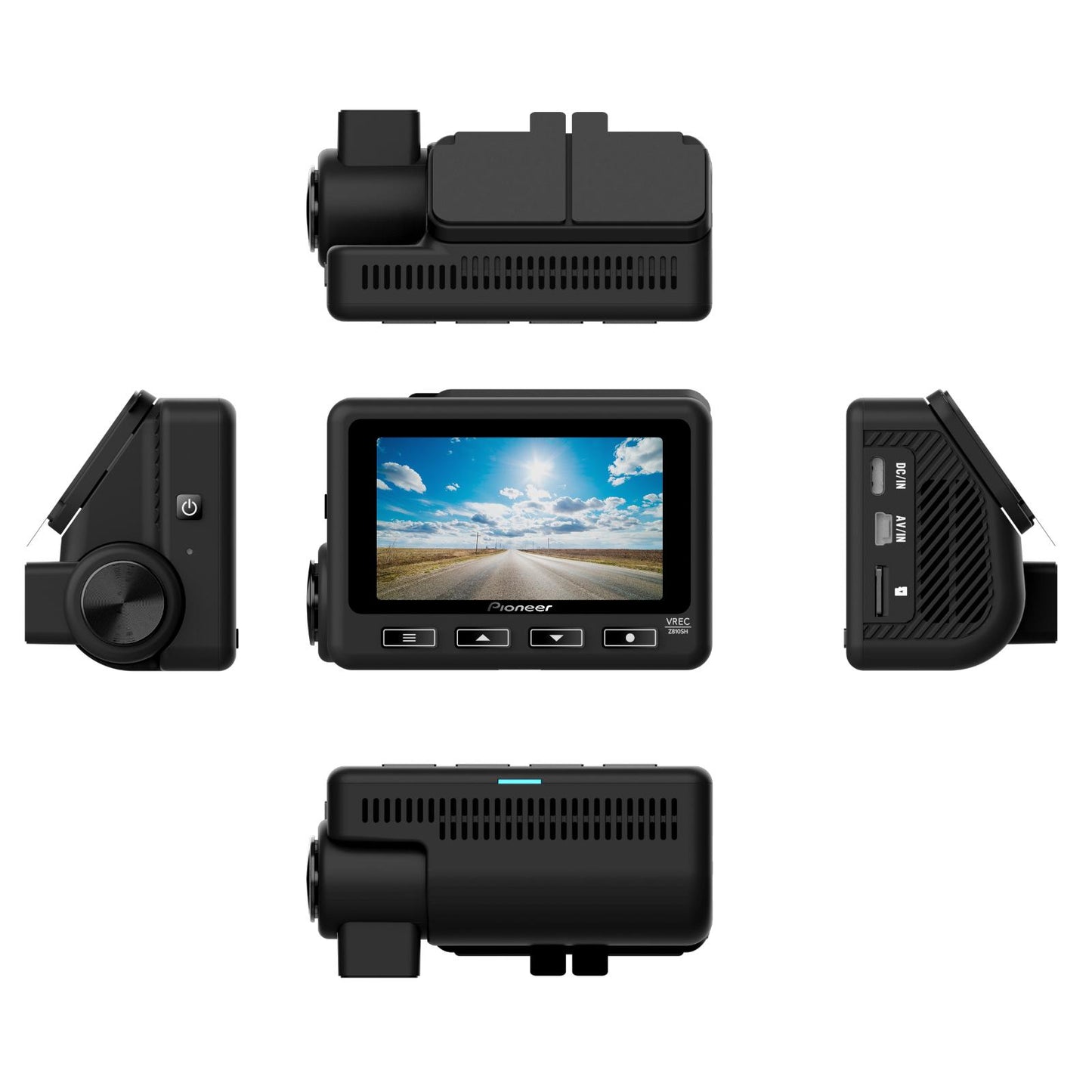
PIONEER VREC-Z810SH DASH CAM FRONT CAMERA 4K STARVIS WIFI GPS 3 INCH LCD SCREEN
PIONEER VREC-Z810SH DASH CAM FRONT CAMERA 4K STARVIS WIFI GPS 3 INCH LCD SCREEN
Couldn't load pickup availability
YOUR THIRD EYE ON THE ROAD.
Install a Pioneer Dash Camera for peace of mind by protecting you from fraudulent insurance claims by being able to use the recorded footage in the event of an incident, giving you the ability to identify who is at fault quickly and easily. In some countries installing a Dash Camera can even reduce your insurance* premium.
*Country Specific. Please check with your local insurance company.
1-Channel (Front) Dash Camera, 4K High Resolution image, 30 fps. 139° Wide Viewing Angle. High Sensitivity utilising a Sony’s CMOS sensor with STARVIS™ technology. Also features GPS, Wi-Fi, Night Time Mode, and 24/7 Security Mode (Hard Wire Kit included in the box).
VREC-Z810SH enables you to use key features without taking your eyes off the road when driving. Using ADVANCED DRIVER STRIVER SYSTEM, you also receive voice messages when a risk is detected. At a traffic light, when you activate the "STOP & GO" function, you are notified when a vehicle in front of you starts moving. The Voice Comand function of the VREC-Z810SH increases the comfort of driving while protecting you from risks.
You can record a wide range of scenes that are pone to blind spots, such as dangerous driving coming from behind you, or monitoring your vehicle from the front and back**.
**An optional rear camera ND-RC1 is required.
1-CHANNEL DASH CAM
Front Dash Camera, recording the front.
4K
In addition to installing a CMOS sensor that realises high sensitivity, this product records in 4K (3840 x 2160p) with about 8.3 million pixels of high resolution so you can record clear high-quality characters such as a license plate, in the day or night.
139° WIDE VIEWING ANGLE
139° Wide Viewing AngleRecord larger amounts of information with less blind spots, such as a motorcycle passing from the left or right or a pedestrian or bicycle jumping out.
NIGHT TIME MODE
Night Time ModeWhen driving on roads or in tunnels, the license plate and surrounding conditions are clearly recorded. By adopting the SONY CMOS sensor "STARVIS ™" this product is suitable for night time driving.
24/7 SECURITY MODE
24/7 Security ModeAdditional to Parking Mode, 24/7 Security Mode* will automatically start to record when an impact is detected, after the Dash Camera internal battery goes empty, allowing you to monitor your vehicle 24/7, 365 days a year. *Security Mode requires a direct connection to the vehicles power supply using Pioneer's Hard Wire Kit.
GPS
GPSAccurately record important information such as your current position, vehicle speed, direction of travel and time.
WI-FI
Wi-FiBuilt-in Wi-Fi to connect your smartphone via an exclusive Pioneer Dash Camera app*'. Check recorded videos or set up the Dash Camera on the screen of a compatible iPhone or Android™ smartphone. * Compatible smartphone required. App availability is depending on your country.
VOICE GUIDANCE
Voice GuidanceVoice Guidance provides clear verbal instructions to reduce distraction so you can focus on the road ahead.
VOICE RECOGNITION
Voice RecognitionPioneer dash camera can be operated by voice control for some functions to help avoid unnecessary distractions whilst driving. (English, French and Russian are supported)
SPECIFICATION
- 1-Channel Dash Cam
- 4K
- 139° Wide Viewing Angle
- Night Time Mode
- SONY "STARVIS" Sensor (Front and Rear)
- 24/7 Security Mode
- GPS
- Wi-Fi
- Voice Guidance
- Voice Recognition
- Rear Camera Optional (ND-RC1)
- Image Quality Front:
- 4K (3840 x 2160 p)
- 2K (2848 x 1600 p)
- Full HD (1920 x 1080 p)
- Viewing Angle Front Camera: Horizontal 115°, Vertical 60°, Diagonal 139°
- Sensor SONY "STARVIS"
- F-Value Front Camera: F1.8
- Frame Rate (fps) Front Camera: 25 fps/27.5 fps/ 30 fps
- Camera Type Front
- Screen 3" Full Colour LCD
- Smartphone App Pioneer "Dash Camera Connect" app
- G Sensor
- Sound Recording On / Off
- Recording Modes Normal / Event / Photo / Parking
- Continuous Recording Time First 30 seconds, last 30 seconds
- Event Recording Times First 30 seconds, last 30 seconds
- Manual Recording Times First 30 seconds, last 30 seconds
- Parking Mode Recording Times 60 sec
- Parking Surveillance Recording: 24/7 Security Mode 24/7, 365 days per year
- Video Recording Format MOV
- H.265: 4K, 2K, Full HD
- H.264: Full HD
- Still Image Capture
- Still Image Format JPEG
- Date and Time Setting
- Advanced Driver Assistance Systems (ADAS) Lane Departure Warning System (LDWS)
- Front Collision Warning System (FCWS)
- Stop & Go
- Loop Video Recording
- Automatically Start Recording
- MicroSD Card Capacity 32 GB to 256 GB
- MicroSD Card Compatibility MicroSDXC / microSDHC memory card class 10
- Battery Type Super capacitor
- Power Consumption Approximately 4W (only Front) 6W(Front+Rear)
- Power Supply Voltage 12 V / 24 V DC
- Power Connection Type Hard wire power cable
- Power Cable Length 3.3 m
- Operating Temperature -20° to +60°
- Dimensions (W x H x D) 93.7 mm x 63 mm x 49.3 mm
- Weight 152g (Excluding installation brackets, etc.)
- Graphic User Interface (GUI) Languages English / French / German / Spanish / Polish / Russian
- Accessories (Sold Separately) Rear Camera (ND-RC1)
WHATS INCLUDED
- Front Camera
- Mounting Bracket
- Hard Wire Power Cable
- Quick Start Guide
- Warranty Document
- Cleaning Wipe
Installation Service
How the Installation Service Works?
Our installation service is designed to be simple, transparent, and efficient. Please follow the steps below to understand the full process:
Step 1: Place Your Order
-
Place your order on our website after confirming product compatibility with your vehicle.
-
On the Product page > Installation service > Select an Approved Installer located near you.
Step 2: Order Confirmation & Dispatch
-
Once your order is confirmed, we will dispatch the item directly to your address.
-
You will receive a dispatch confirmation email along with a tracking number so you can monitor delivery.
Step 3: Installer Details Provided
-
After the item has been dispatched, we will send you the contact details of the selected Approved Installer. Through Email, Check inbox or spam folder.
Step 4: Book Your Installation Appointment
-
Once you receive the Item and installer’s contact details, You must contact the installer directly.
-
When contacting the installer, please provide:
-
Your order number
-
The make and model of your vehicle
-
-
The installer will then arrange a mutually convenient appointment date and time.
Step 5: Attend the Installation
-
All installations are carried out at the installer’s location.
-
Please bring:
-
Your vehicle
-
The delivered product
-
Order confirmation (recommended)
-
-
The Approved Installer will complete the installation according to approved standards.
Step 6: Installation Completion
-
The installer will check the installation is secure and correctly fitted.
-
Your installation is completed by a trained professional for peace of mind.
Important Information
- Installation is not carried out at your home address.
- You can ask the Installer directly, If the are willing to offer service at your address for Extra mobile cost.
- Booking the appointment is the customer’s responsibility once installer details are provided.
- Delivery and installation are separate stages of the process.
Frequently Asked Questions (FAQs)
Q: How do I know if the product is compatible with my vehicle?
A: Compatibility must be confirmed before placing your order. If you are unsure, please contact us prior to purchase.
Q: Do you send the product to the installer?
A: No. The product is dispatched directly to your address, and you must take it with you to the installer. If the Installer already has item in stock that you have ordered. We will inform you to contact the installer to book an appointment.
Q: When do I receive the installer’s contact details?
A: Installer contact details are provided after your item has been dispatched.
Q: Who books the installation appointment?
A: The customer is responsible for contacting the installer and booking the appointment.
Q: Where does the installation take place?
A: All installations are carried out at the Approved Installer’s location. We use Third-Party approved installer. Which are hired on Per Job basis.
Q: What details do I need when contacting the installer?
A: You should provide:
-
Your order number
-
The make and model of your vehicle
Q: Can I change the installer after ordering?
A: Installer changes are subject to availability and must be requested before installation is booked.
Q: Approved Installers Location?
- GLASGOW - G40 Postcode
- MIDDLESBROUGH - Disclosed by Installer
- BRADFORD - BD8 & BD4 Postcode
- DEWSBURY - WF12 Postcode
- MANCHESTER - M32 Postcode
- NOTTINGHAM - NG5 1FS Postcode
- BRISTOL - BS7 Postcode
- SWANSEA - SA1 Postcode
- WEST LONDON - W7 Postcode
- EAST LONDON - E7 Postcode
- SOUTH LONDON - CR4 Postcode (Weekends Only)
- SURREY - KT20 Postcode
- SOUTHAMPTON - SO30 Postcode