


thecockpituk
THINKWARE DASH CAM F200 PRO 1080P HD FRONT & REAR CAMERA WIFI GPS G SENSOR 32GB
THINKWARE DASH CAM F200 PRO 1080P HD FRONT & REAR CAMERA WIFI GPS G SENSOR 32GB
Couldn't load pickup availability
F200 PRO
The F200 records in Full HD 1080p with Wide Dynamic Range (WDR) and offers a 720p HD at the rear.
- 1080p Full HD
- 140° Wide Angle View
- G-Sensor Incident Detection
- Speed Camera Alert
- Built-in Wi-Fi
- Format Free
- Win/Mac Viewer
- Mobile App
- Rear HD Camera
Along with upgraded Ambarella CPU, F200 PRO provides FHD resolution on both front & rear cam, Super Night Vision and Time Lapse during Parking mode to provide continuous recording at 2fps, plus ADAS and safety camera alerts to help keep you safe.
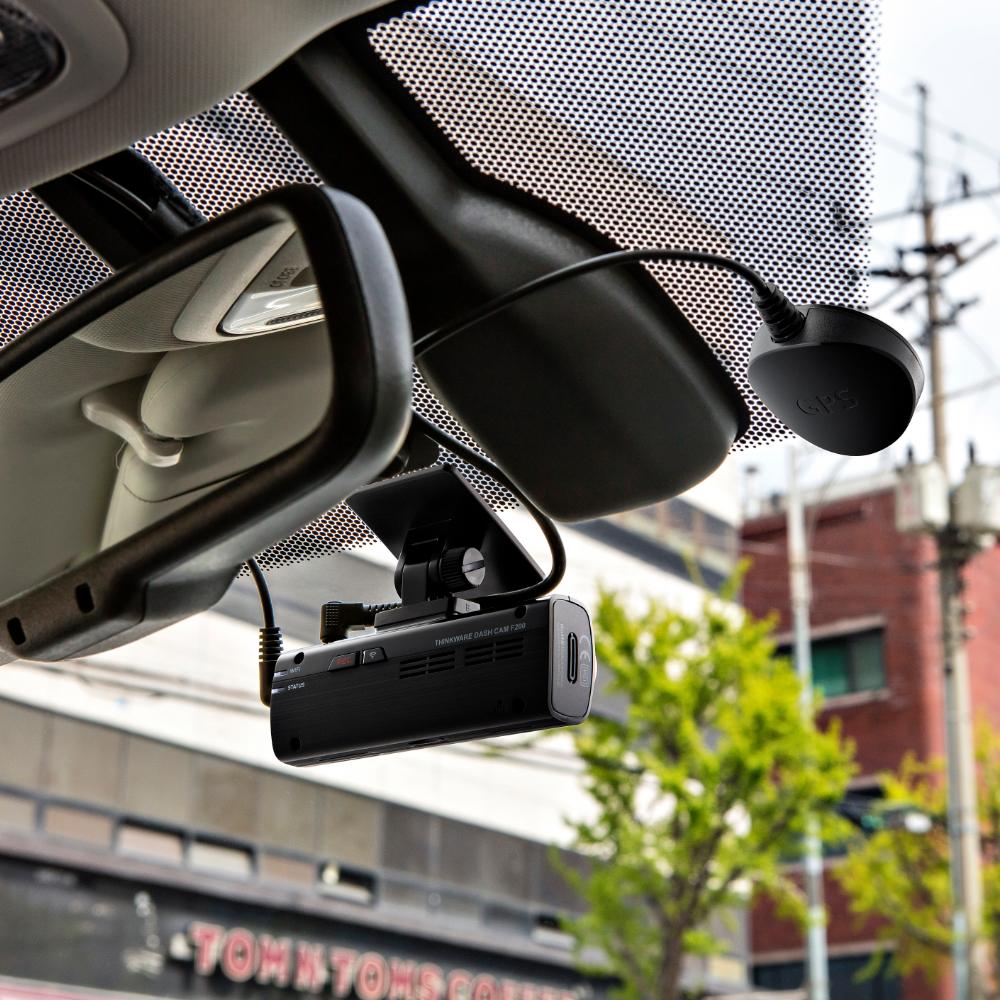
The two-channel (2CH) F200 records in Full HD 1080p with Wide Dynamic Range (WDR) and offers 720p HD at the rear. This high-quality image capability offers drivers excellent coverage at the front and rear of their vehicle while minimizing blind spots thanks to the WDR. With its compact design, the F200 can easily be placed behind the rearview mirror without causing any obstruction to the driver’s view; ensuring the camera placement adheres to safety laws and standards.
The built-in Wi-Fi functionality also allows drivers to connect the dash cam directly to their smartphone to adjust settings and easily download footage. This quick and easy access means that drivers can retrieve and store footage on their smartphone whenever they need it. The F200 can support up to 128GB Micro SD storage and comes with 32GB as standard, which will provide up to two hours’ loop recording on both cameras for the two-channel option.
HIGH DEFINITION VIDEO QUALITY
CMOS Image Sensors allow constant Full 1080p Front and HD 720p Rear recording during both daytime and nighttime along with a 140-degree wide angle lens view. This will minimize blind spots to assure recording of all events without fail.
ENERGY SAVING PARKING RECORDING
Energy saving mode will reduce power consumption by 1/3 less and gives 3x longer video recording than normal parking mode. When you are away for a vacation or leaving your car for quite some time, energy saving parking recording is a recommended solution. When in use, the device will go to sleep and soon after an impact has been detected by built-in G-senor, it will wake up within a second and start recording for the next 20 seconds of the period.
FORMAT FREE TECHNOLOGY
F200 utilizes the FAT (File Allocation Table) system. This allows THINKWARE’s proprietary Format Free Technology to eliminate the need for periodical manual formatting of recorded video files on the microSD memory card. It also helps extend the life of your memory card. You can view recorded video files on any PC without having to worry about converting files. THINKWARE DASH CAM F200 saves the hassle of manually clearing memory space.
COMPREHENSIVE DRIVING DATA THROUGH GPS
With the optional GPS Tracker, the THINKWARE DASH CAM F200 PRO can record the vehicle’s driving speed and provide its precise location and routes identification on the map. The GPS Tracker helps you to accurately assess the details of the surrounding area by providing you with the vehicle speed and the time of a collision, and the severity of impact. The video recording feature not only stores driving footages in case of an event, but it can also be used to track your holiday travel routes.
SPECIFICATION
- Camera: CMOS 2.0M
- Resolution: Front: Full HD (1920 x 1080P) Rear 720P
- Viewing Angle: Front: 140º (Diagonal), Rear(Optional): 160º (Diagonal)
- Capacity: Micro SD Card 32GB UHS-1
- Recording Modes: Continuous Recording, Incident Recording, Manual Recording, Parking Recording(Motion detection, Time lapse, Energy saving)
- Sensor: 3-Axis Accelerometer G-Sensor (3D, ±3G)
- GPS: External GPS
- Wi-Fi: Built-In Wi-Fi
- Power: DC 12 / 24V supported
- ETC: Status LED, Wi-Fi LED
WHATS INCLUDED
- Dash Cam
- Rear Camera
- Hardwire Cable
- 12v Power Cable
- GPS Antenna
- Rear Camera Cable
- 32GB MicroSD Card
- USB MicroSD Card Reader
- Windshield Mount
- Spare 3M Mounting Tapes
- Adhesive Cable Clips
- Quick Start Guide




Installation Service
How the Installation Service Works?
Our installation service is designed to be simple, transparent, and efficient. Please follow the steps below to understand the full process:
Step 1: Place Your Order
-
Place your order on our website after confirming product compatibility with your vehicle.
-
On the Product page > Installation service > Select an Approved Installer located near you.
Step 2: Order Confirmation & Dispatch
-
Once your order is confirmed, we will dispatch the item directly to your address.
-
You will receive a dispatch confirmation email along with a tracking number so you can monitor delivery.
Step 3: Installer Details Provided
-
After the item has been dispatched, we will send you the contact details of the selected Approved Installer. Through Email, Check inbox or spam folder.
Step 4: Book Your Installation Appointment
-
Once you receive the Item and installer’s contact details, You must contact the installer directly.
-
When contacting the installer, please provide:
-
Your order number
-
The make and model of your vehicle
-
-
The installer will then arrange a mutually convenient appointment date and time.
Step 5: Attend the Installation
-
All installations are carried out at the installer’s location.
-
Please bring:
-
Your vehicle
-
The delivered product
-
Order confirmation (recommended)
-
-
The Approved Installer will complete the installation according to approved standards.
Step 6: Installation Completion
-
The installer will check the installation is secure and correctly fitted.
-
Your installation is completed by a trained professional for peace of mind.
Important Information
- Installation is not carried out at your home address.
- You can ask the Installer directly, If the are willing to offer service at your address for Extra mobile cost.
- Booking the appointment is the customer’s responsibility once installer details are provided.
- Delivery and installation are separate stages of the process.
Frequently Asked Questions (FAQs)
Q: How do I know if the product is compatible with my vehicle?
A: Compatibility must be confirmed before placing your order. If you are unsure, please contact us prior to purchase.
Q: Do you send the product to the installer?
A: No. The product is dispatched directly to your address, and you must take it with you to the installer. If the Installer already has item in stock that you have ordered. We will inform you to contact the installer to book an appointment.
Q: When do I receive the installer’s contact details?
A: Installer contact details are provided after your item has been dispatched.
Q: Who books the installation appointment?
A: The customer is responsible for contacting the installer and booking the appointment.
Q: Where does the installation take place?
A: All installations are carried out at the Approved Installer’s location. We use Third-Party approved installer. Which are hired on Per Job basis.
Q: What details do I need when contacting the installer?
A: You should provide:
-
Your order number
-
The make and model of your vehicle
Q: Can I change the installer after ordering?
A: Installer changes are subject to availability and must be requested before installation is booked.
Q: Approved Installers Location?
- GLASGOW - G40 Postcode
- MIDDLESBROUGH - Disclosed by Installer
- BRADFORD - BD8 & BD4 Postcode
- DEWSBURY - WF12 Postcode
- MANCHESTER - M32 Postcode
- NOTTINGHAM - NG5 1FS Postcode
- BRISTOL - BS7 Postcode
- SWANSEA - SA1 Postcode
- WEST LONDON - W7 Postcode
- EAST LONDON - E7 Postcode
- SOUTH LONDON - CR4 Postcode (Weekends Only)
- SURREY - KT20 Postcode
- SOUTHAMPTON - SO30 Postcode