


thecockpituk
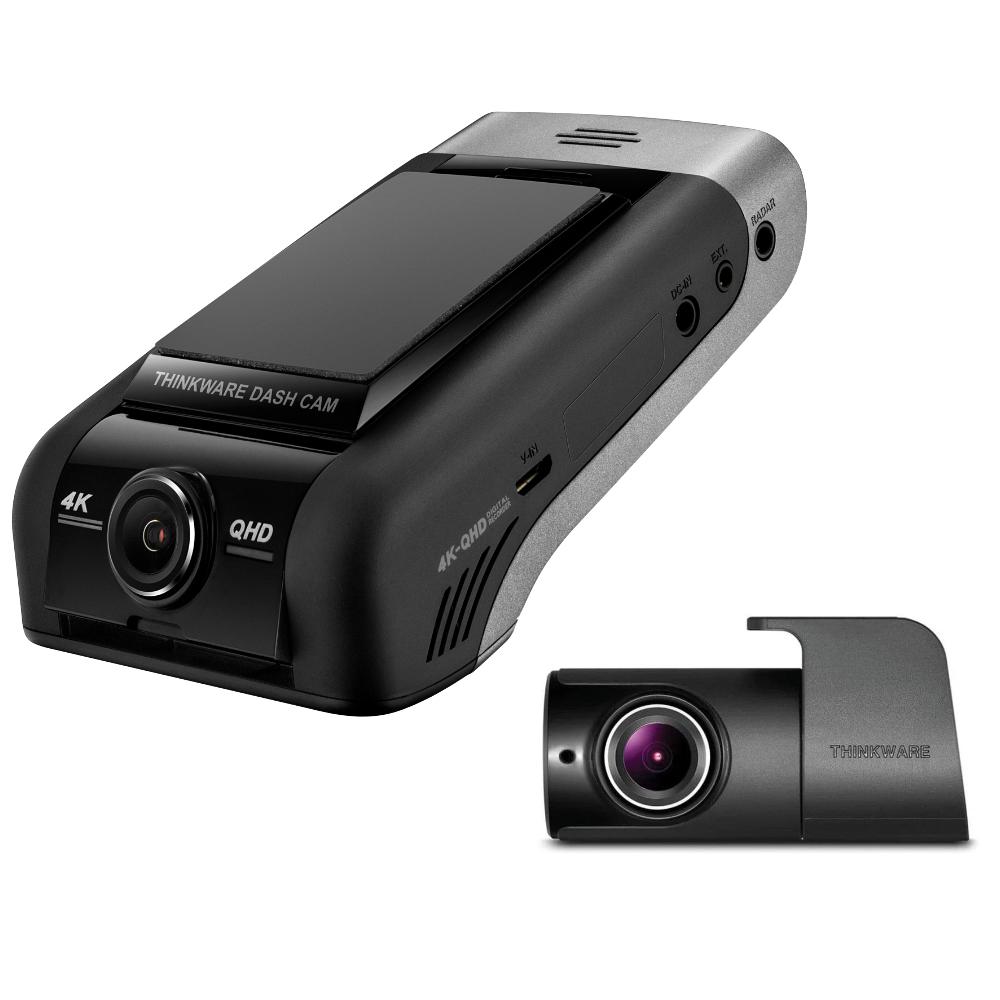
THINKWARE DASH CAM U1000 4K UHD FRONT AND 2K QHD REAR CAMERA G SENSOR WIFI 64GB
THINKWARE DASH CAM U1000 4K UHD FRONT AND 2K QHD REAR CAMERA G SENSOR WIFI 64GB
Couldn't load pickup availability
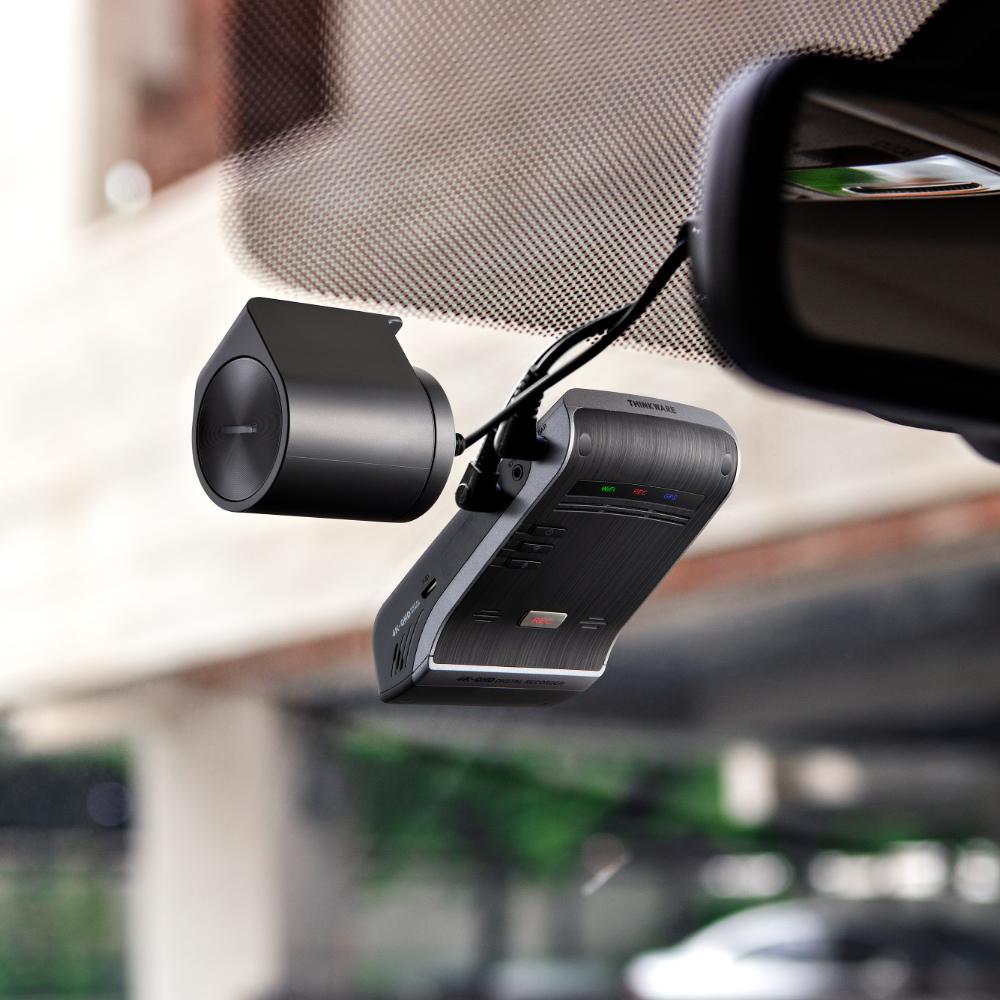
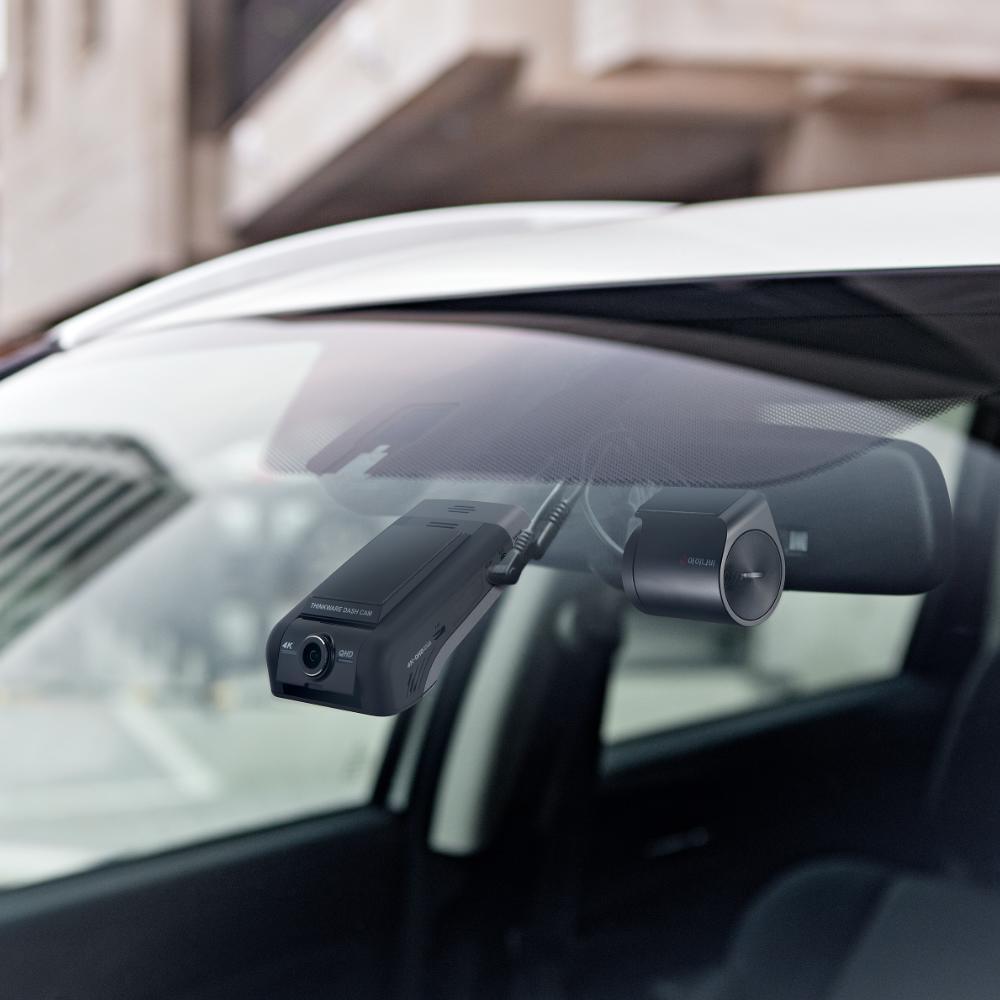
THIS NEW MODEL FROM THINKWARE COMES WITH A LOW PROFILE AND MODERN DESIGN.
The U1000 features a 4K UHD front-facing camera and 2K QHD rear-facing camera.
HARDWIRE VERSION
- 4K UHD Front Camera
- 150° Wide Angle View
- G-Sensor Incident Detection
- Speed Camera Alert
- Cloud Service
- Built-in Wi-Fi
- HD Rear Camera
- Super Night Vision 2.0
4K ULTRA HD (3840X2160P)
2x more vivid than Full HD (1080p) resolution, 2160p 4K captures every little detail you may have missed before
SMARTPHONE APP
The THINKWARE CLOUD App provides easy access to your Thinkware Dash Cam. Share the best driving videos to social media by simply downloading your dash cam footage into your smartphone’s photo album. Replay your latest driving videos and manage your dash cam’s settings all in one app!
LIVE VIEW
Watch what is happening in real-time. Monitor your vehicle with your smartphone, no matter where you are. Live Resolution: 768x452p / 15fps
DRIVING IMPACT NOTIFICATION
In the event of a crash, the alert feature can help the driver to notify others of an emergency situation when the driver is not in the condition to do so. The family or the owner of the car can then remotely check on the situation from their location. When the car experiences an impact with a g-force level greater than 3g or 4g while driving, the dash cam will automatically send a push notification alert of the impact to the user’s smartphone logged in to the THINKWARE CLOUD app. A 20 seconds video of the incident (10 seconds before and after the incident) is also saved on the THINKWARE CLOUD server, and a push notification alert of the video is sent to the user, which can be checked later and downloaded from the app.
GEO-FENCING
Geo-Fencing allows drivers to stay alert of the vehicle location. Whether your vehicle goes in/outside of a certain radical area, U1000 will send you a push notification through the mobile app. This is more practical for the parents, rental companies, and for fleet management. The radius can be set by typing the address or by using pinpoint on the mobile app. You may set 20 different areas sizes ranging from 100m to 600km.
LOCATE VEHICLE
Locate Vehicle will help drivers to find the vehicle’s current location. U1000 will update its current location in every 10 seconds. Then it will display current location with speed and the heading direction integrated on google map.
SAFETY CAMERA ALERT
The THINKWARE DASH CAM U1000’s internal GPS provides accurate location information while the Safety Camera Alert function is on continuous alert to warn the driver of red lights and traffic enforcement cameras.
SUPER NIGHT VISION 2.0
videos recorded in a low-light environment, such as dark alleys or parking lots, may not be clearly identifiable.
SUPER NIGHT VISION in the U1000 uses Image Signal Processing (ISP) technology to record a clear, visible video in any situation- while driving or parked.
WIDE DYNAMIC RANGE
When you are driving under bright sunlight, coming out of a tunnel, or getting under the shadow of a tall building etc, a sudden change in frontal light exposure levels can result in excessively bright or dark recordings. The WDR function eliminates excessively bright spots on the recording to correct its colour balance in order to ensure a clear image.
AUTOMATIC EXPOSURE
A sudden rise of light exposure caused by strong sunlight or headlight beams of the oncoming vehicle may cause difficulties to assess the situation. Also, the lack of lighting in a dark tunnel or night driving may pose the same problem. The automatic light exposure function controls the level of light exposure to maintain vivid and clear video recordings in all circumstances.
OPTIONAL RADAR ACCESSORY
By adding the optional RADAR sensor, parking mode can be extended even further while still capturing pre-event footage.
SPECIFICATION
- Camera: 8.42 Megapixel, Sony Exmor R STARVIS
- Resolution: Front 4k Ultra HD (3840x2160p)
- Capacity: Micro SD Card 16GB / 32GB / 64GB / 128GB
- Sensor: 3-Axis Accelerometer G-Sensor (3D, ±3G)
- GPS: Built-in GPS
- WI-FI: Built-in Wi-Fi
- Power Input Power: DC 12/24V
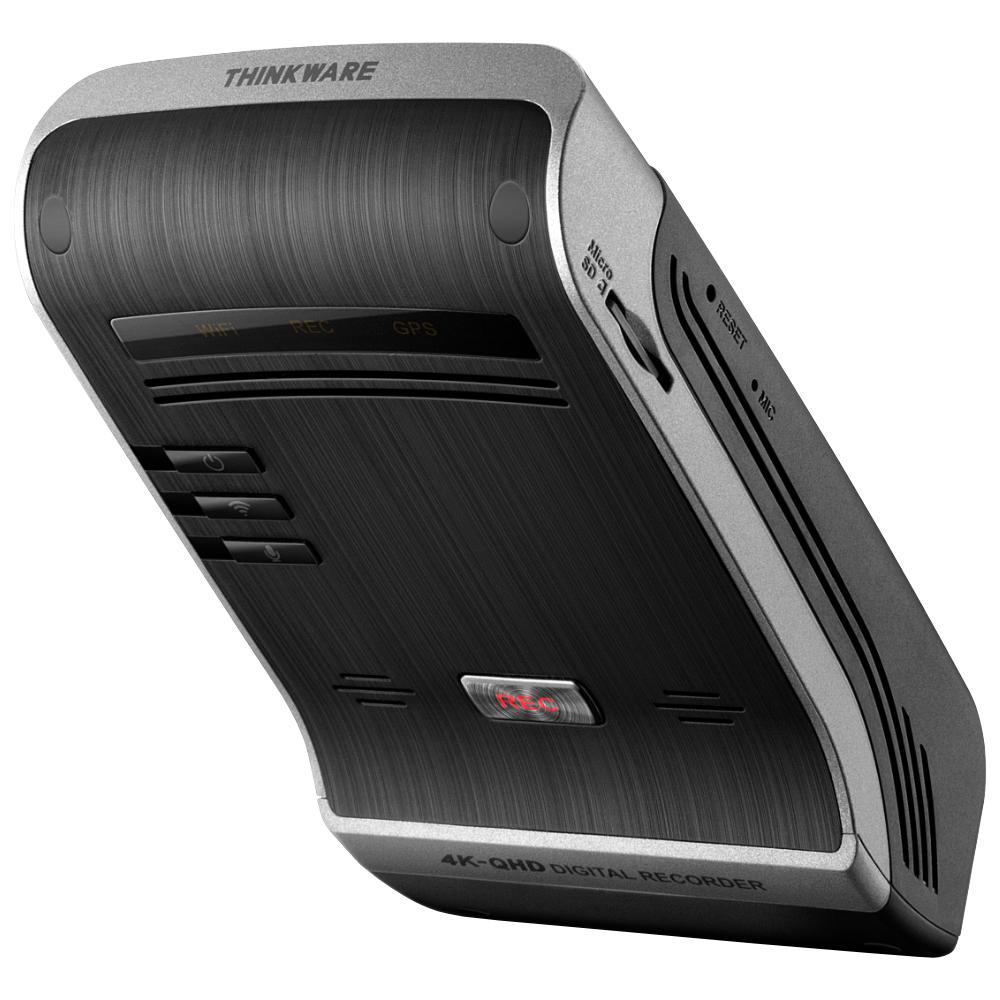
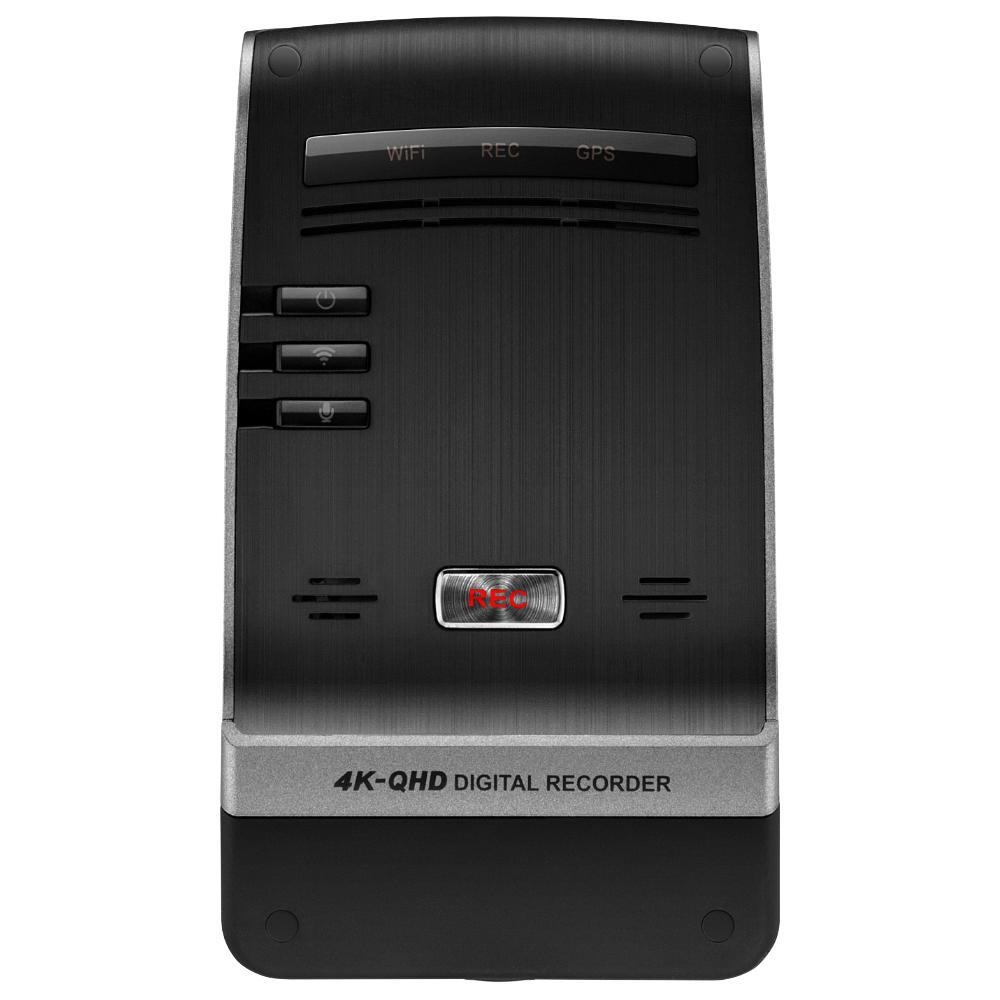
- ETC: Security LED / Operation Status / GPS Receiver LED / Wi-Fi LED
- 4K UHD Front Camera
- 150° Wide Angle View
- G-Sensor Incident Detection
- Speed Camera Alert
- Cloud Service
- Built-in Wi-Fi
- HD Rear Camera
- Hardwire Only
- Super Night Vision 2.0
- Time Lapse Mode
- Format Free
- Win/Mac Viewer
- Mobile App
- CPL Filter Included
- Hardwire cable included
WHATS INCLUDED
- Dash Cam
- Rear Camera
- 12V Power Cable
- Rear Camera Cable
- 64GB MicroSD Card
- USB MicroSD Card Reader
- Windshield Mount
- Spare 3M Mounting Tape
- Adhesive Cable Clips
- Quick Start Guide
(Plug & Play 12 Power Cable Sold Separately. Search TWCigar)


Installation Service
How the Installation Service Works?
Our installation service is designed to be simple, transparent, and efficient. Please follow the steps below to understand the full process:
Step 1: Place Your Order
-
Place your order on our website after confirming product compatibility with your vehicle.
-
On the Product page > Installation service > Select an Approved Installer located near you.
Step 2: Order Confirmation & Dispatch
-
Once your order is confirmed, we will dispatch the item directly to your address.
-
You will receive a dispatch confirmation email along with a tracking number so you can monitor delivery.
Step 3: Installer Details Provided
-
After the item has been dispatched, we will send you the contact details of the selected Approved Installer. Through Email, Check inbox or spam folder.
Step 4: Book Your Installation Appointment
-
Once you receive the Item and installer’s contact details, You must contact the installer directly.
-
When contacting the installer, please provide:
-
Your order number
-
The make and model of your vehicle
-
-
The installer will then arrange a mutually convenient appointment date and time.
Step 5: Attend the Installation
-
All installations are carried out at the installer’s location.
-
Please bring:
-
Your vehicle
-
The delivered product
-
Order confirmation (recommended)
-
-
The Approved Installer will complete the installation according to approved standards.
Step 6: Installation Completion
-
The installer will check the installation is secure and correctly fitted.
-
Your installation is completed by a trained professional for peace of mind.
Important Information
- Installation is not carried out at your home address.
- You can ask the Installer directly, If the are willing to offer service at your address for Extra mobile cost.
- Booking the appointment is the customer’s responsibility once installer details are provided.
- Delivery and installation are separate stages of the process.
Frequently Asked Questions (FAQs)
Q: How do I know if the product is compatible with my vehicle?
A: Compatibility must be confirmed before placing your order. If you are unsure, please contact us prior to purchase.
Q: Do you send the product to the installer?
A: No. The product is dispatched directly to your address, and you must take it with you to the installer. If the Installer already has item in stock that you have ordered. We will inform you to contact the installer to book an appointment.
Q: When do I receive the installer’s contact details?
A: Installer contact details are provided after your item has been dispatched.
Q: Who books the installation appointment?
A: The customer is responsible for contacting the installer and booking the appointment.
Q: Where does the installation take place?
A: All installations are carried out at the Approved Installer’s location. We use Third-Party approved installer. Which are hired on Per Job basis.
Q: What details do I need when contacting the installer?
A: You should provide:
-
Your order number
-
The make and model of your vehicle
Q: Can I change the installer after ordering?
A: Installer changes are subject to availability and must be requested before installation is booked.
Q: Approved Installers Location?
- GLASGOW - G40 Postcode
- MIDDLESBROUGH - Disclosed by Installer
- BRADFORD - BD8 & BD4 Postcode
- DEWSBURY - WF12 Postcode
- MANCHESTER - M32 Postcode
- NOTTINGHAM - NG5 1FS Postcode
- BRISTOL - BS7 Postcode
- SWANSEA - SA1 Postcode
- WEST LONDON - W7 Postcode
- EAST LONDON - E7 Postcode
- SOUTH LONDON - CR4 Postcode (Weekends Only)
- SURREY - KT20 Postcode
- SOUTHAMPTON - SO30 Postcode